Daily Check-in and Traffic Rewards
Check in from the dashboard and verify the amount, status, and expiry of residential proxy traffic rewards in your usage history.
Daily check-in can award residential proxy traffic. Use the dashboard calendar to see the check-in result and the residential proxy usage page to inspect the reward.
How to check in
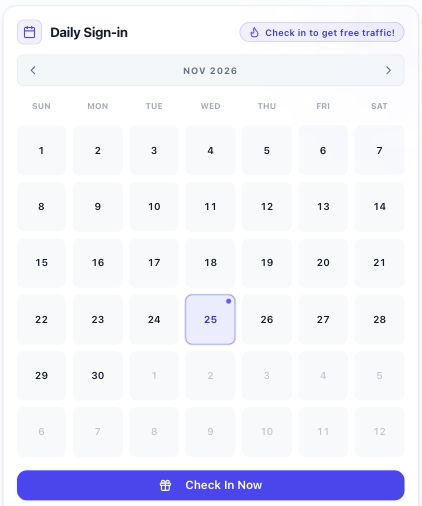
- Sign in and open Dashboard → Daily Sign-in↗. If the check-in shortcut appears in the top bar, it takes you to the same card.
- Select Check In Now or click today's date on the calendar. When you see Checked In, select today's date to view the reward amount shown.
- Open Residential Proxies↗, go to the usage tab, and select Sign-in Rewards. Check the date, total traffic, usage, status, and expiry for the entry.

Once you have available residential traffic, follow the Rotating Residential Proxy Quick Start to connect and test. The usage page also has separate views for purchased traffic and task rewards.
Common questions
The calendar shows that I've already checked in today Select today's date to view the calendar entry, then check Sign-in Rewards for details.
The dashboard asks me to verify my account Follow the dashboard prompt. If you have questions about the requested action, contact support↗ to check the requirements for your account.
I checked in and available traffic did not increase Check the matching entry in Sign-in Rewards, including its status, usage, and expiry date. If it is still missing after refreshing, contact support with the check-in time, time zone, and any message you saw.
Where can I use a check-in reward? The residential proxy dashboard records check-in rewards as traffic. For account balance and purchases, see $2 Welcome Credit and Payments, Wallet Top-ups, and Order Confirmation.